
Your Essential IT Relocation Checklist for Edinburgh Businesses
Moving office IT is rarely just about getting equipment from one address to another. You need your systems back online quickly, your data handled carefully, and your team able to work with as little disruption as possible. For growing Edinburgh businesses, that usually means planning around access restrictions, trading hours, client confidentiality, and the safe movement of everything from servers and screens to desks, phones, and shared cabling.
A clear IT relocation checklist helps you reduce risk before moving day. It gives you a plan for inventory, labelling, staged moves, secure handling, and go-live testing, so nothing important is left to chance.
What should an IT relocation checklist include?
A practical IT relocation checklist should cover five core areas:
- Asset inventory so every server, workstation, monitor, phone, cable, and accessory is accounted for.
- Security and data protection so sensitive equipment and documents are handled appropriately throughout the move.
- Desk and cabling plans so your new space is ready for reconnection and teams can get back to work quickly.
- Staged move scheduling so you can minimise downtime during relocations and avoid unnecessary disruption.
- Go-live testing so critical systems, internet access, phones, printers, and permissions are checked before the first full working day.
If your move involves multiple teams or departments, it also helps to build in a storage plan for items that should not move straight into the new office. If you are comparing support options, our office relocation movers service page explains how we plan commercial moves around access, timing, and business continuity.
Start with a full inventory of your IT assets
Before anything is unplugged, create a detailed inventory of what is moving. This is one of the simplest ways to avoid lost equipment, delayed setups, and confusion on moving day.
Your inventory should include:
- Servers and network hardware
- Desktop PCs, laptops, monitors, docks, and peripherals
- Desk phones, conference room equipment, and printers
- Shared devices such as scanners and label printers
- Patch panels, switches, routers, and structured cabling equipment
- Spare cables, chargers, adaptors, and backup devices
- Desks, pedestals, ergonomic equipment, and furniture tied to specific users
- Sensitive paper records or archived files that need secure handling
For each item, record the user, department, serial number where relevant, and destination point in the new office. Good inventory management during moves makes unpacking faster and helps your internal IT team or suppliers reconnect systems in the right order.
Tag equipment clearly before the move
Labelling is where many office relocations either become orderly or chaotic. A consistent tagging system makes it easier to disconnect, move, and reconnect equipment without guesswork.
A simple approach usually works best:
- Assign each department or zone a colour
- Label every desk, monitor, phone, and device with the same destination code
- Tag cables at both ends before disconnection
- Number shared equipment and accessories that belong together
- Mark priority equipment that must be reconnected first
- Separate items going into storage from items going straight to the new office
This is especially useful when you are moving in stages, or when desks and IT equipment are being relocated separately. It also supports office cabling and security setup tips, because your installers and IT team can see exactly what belongs where.
Plan the move around business continuity
For most businesses, downtime is the biggest concern. Lost access to phones, systems, payment tools, or client records can affect customer service and revenue very quickly.
That is why staged moves planning matters. Rather than trying to relocate every team at once, break the move into logical phases. You might move archive files and surplus furniture first, followed by non-critical departments, then core infrastructure and business-critical teams last.
When planning your timeline, look at:
- Which systems cannot go offline during trading hours
- Which teams need first access at the new site
- Whether an evening or weekend move would reduce disruption
- How long disconnecting, loading, transport, unloading, and reconnecting will realistically take
- Whether any items need short-term secure storage solutions for IT during the transition
For businesses in Edinburgh city centre, it is also worth checking access windows, loading rules, lift bookings, and parking restrictions well in advance. These logistical issues can affect your move plan more than expected.
Protect servers and sensitive equipment properly
Servers, networking equipment, specialist devices, and backup hardware need careful handling. They are often high value, sensitive to impact, and central to your operations.
Before transport, make sure your internal IT team or specialist provider has completed shutdowns, backups, and any agreed disconnection procedures. Once equipment is ready to move, use a handling plan that reduces unnecessary lifting, vibration, and time in transit.
Key steps include:
- Confirming backups have been completed and verified
- Photographing rack layouts and cable positions before disconnection
- Keeping removable drives, accessories, and mounting parts together
- Using protective packing suited to fragile or business-critical equipment
- Keeping a clear chain of responsibility for release, loading, and arrival
- Identifying which items need immediate priority on arrival
Transporting IT infrastructure safely is not just about avoiding physical damage. It is also about making reinstallation more straightforward once everything reaches the new site.
Do not overlook desks, furniture, and user setups
An IT relocation is also a furniture and workspace move. If desks, meeting tables, storage units, and ergonomic setups are not mapped properly, teams can lose time even when the technology arrives safely.
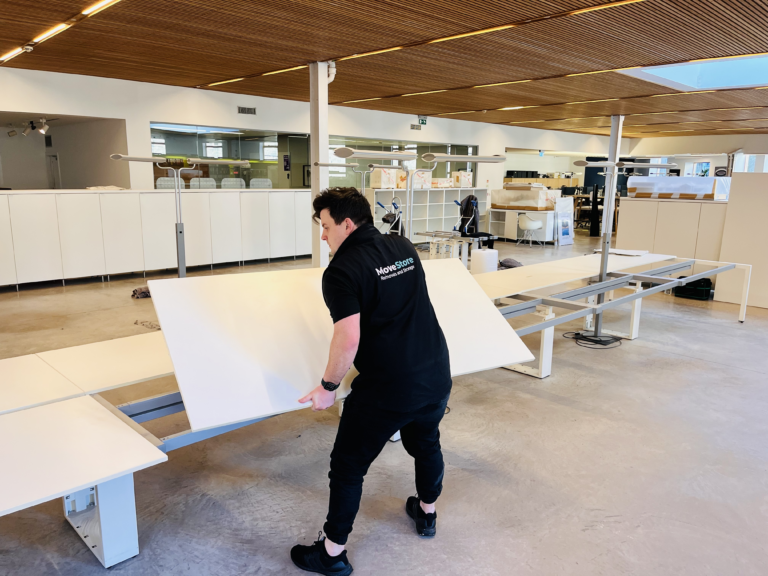
Create a seating and floor plan before moving day. Match each user or team to a desk position, then link that plan to your equipment labels. This helps with reassembly, cable routing, and workstation setup. If you are also planning furniture breakdown and reassembly, see Moving Office Furniture Safely (Including Disassembly) for a practical companion guide.
You should also decide in advance:
- Which desks need disassembly
- Which furniture can move fully assembled
- What should be replaced rather than moved
- Which team members need specialist setups, such as dual screens or adapted desks
- How meeting rooms, printer points, and shared tech areas will be configured
The more detail you settle before the move, the faster your new office can become operational.
Build security and confidentiality into the plan
Many office moves involve more than equipment. They also involve client files, staff records, financial paperwork, and devices containing sensitive data. That means security cannot be an afterthought.
Your relocation plan should cover:
- Who is authorised to handle servers, laptops, and confidential files
- How equipment and documents will be monitored during loading and unloading
- Where sensitive items will be held if they cannot go straight into the new office
- How access to archived files will be controlled during the transition
- How old paperwork, surplus IT, or unwanted furniture will be separated from live business materials
If your business handles confidential records, it is sensible to review your internal responsibilities under relevant data protection legislation before moving day. The practical point is simple: know what is sensitive, keep it identifiable, and make sure it stays under proper control throughout the move.
Prepare the new office before go-live
A smooth move depends on what is ready at the destination. Even a well-run relocation can stall if the new office is missing power, connectivity, desk layouts, or clear installation priorities.
Before moving day, confirm:
- Internet connectivity is live or scheduled
- Power points and network points are installed where needed
- Server rooms or comms spaces are accessible and ready
- Desk layouts match your move plan
- Entry routes, lift access, and unloading areas are confirmed
- Building management requirements are understood
- Security access, alarms, and keys or passes are ready for handover
This stage is where office cabling and security setup tips become practical rather than theoretical. A move is much easier when your new site is prepared for immediate placement and reconnection.
Create a go-live checklist for the first working day
Do not treat the move as finished when the last item is unloaded. Your first day in the new office needs its own checklist.
Go-live checks should include:
- Internet and network connectivity
- Server and hardware startup status
- User logins and permissions
- Phones and meeting room systems
- Printers and shared devices
- Wi-Fi coverage and access controls
- Core software, cloud tools, and backups
- Any department-specific systems that are essential for trading
Assign responsibility for each check, and agree who signs off when systems are working normally. This makes it easier to spot issues early and reduces the risk of problems being missed until staff are already trying to work.
Consider secure storage during the transition
Not everything needs to move at once. During phased relocations, refurbishments, or fit-out delays, storage can make the process more manageable.
For businesses reviewing what to keep off-site during a relocation, Business Archiving: What to Store, Retention, and Access is a useful next step.
Containerised storage can help when you need to:
- Clear part of the old office before the new site is fully ready
- Hold archived files, spare furniture, or surplus equipment off-site
- Reduce congestion during a staged move
- Keep seasonal or rarely used items secure until needed
- Separate live operational equipment from non-essential contents
For growing businesses, this flexibility can be useful when lease dates, fit-out schedules, and team moves do not line up perfectly.
A practical IT relocation checklist for moving day
Here is a simple version you can adapt for your own move:
One to two weeks before
- Finalise inventory of all IT, furniture, and sensitive records
- Confirm floor plans, desk allocation, and destination labels
- Check building access, parking, and lift arrangements
- Confirm internet, power, and cabling readiness at the new office
- Decide what will move first, what will move last, and what will go into storage
- Brief staff on timelines, packing responsibilities, and downtime windows
One to two days before
- Label all equipment, desks, and cables clearly
- Complete backups and shutdown plans
- Pack peripherals, accessories, and shared equipment by zone
- Separate confidential files and priority equipment
- Confirm key contacts for removals, building access, and internal IT support
On moving day
- Follow the staged move order
- Keep inventory checks active during loading and unloading
- Move priority hardware into agreed locations first
- Keep sensitive items under controlled handling
- Log any issues immediately rather than waiting until the end of the day
After arrival
- Reconnect systems in priority order
- Test internet, phones, hardware, and user access
- Check each department is operational
- Review any missing items, cabling issues, or layout changes
- Update your final inventory and storage records
How we help businesses keep relocations under control
At MoveStore, we support office relocations with a clear plan, careful handling, and practical flexibility around how your business operates. That can include coordinating around access windows, helping with staged moves, moving office furniture safely, and providing secure storage when your timelines do not line up neatly.
For Edinburgh businesses, local knowledge also matters. City-centre access, loading constraints, and tight schedules all affect how a relocation should be planned. A structured approach helps reduce disruption and gives your team a clearer route from shutdown to go-live.
Conclusion
An IT office move works best when it is treated as a business continuity project, not just a transport job. With a solid inventory, a clear tagging system, staged scheduling, secure handling, and a proper go-live plan, you can reduce downtime and make the transition much more manageable for your team.
If you are planning an office move in Edinburgh and want a clear, practical plan for furniture, equipment, and storage, get a quote from MoveStore and we will talk you through the best next steps.
FAQs
What should be included in an IT relocation checklist?
At minimum, include asset inventory, desk and floor plans, cable labelling, data handling procedures, staged scheduling, transport arrangements, and go-live testing. The aim is to keep equipment traceable and reduce downtime.
How can I minimise downtime during an office relocation?
Break the move into phases, schedule critical work outside peak hours where possible, prepare the new site in advance, and test systems in priority order as soon as equipment arrives.
What are the best practices for tagging IT equipment before a move?
Use consistent destination labels, tag cables at both ends, group accessories with the correct device, and mark business-critical equipment clearly so it can be reconnected first.
How do I protect confidential information during a move?
Identify sensitive devices and files in advance, limit who can handle them, keep them clearly logged, and make sure temporary holding areas or storage arrangements are secure and controlled.
Can storage help during an IT relocation?
Yes. Storage is useful when your new office is not fully ready, when you are moving in phases, or when you need to separate archive materials and spare furniture from live operational equipment.
Do Edinburgh office moves need extra planning?
Often, yes. Access windows, parking restrictions, shared entrances, and lift bookings can all affect timing. Checking these details early helps prevent delays on moving day.